Audio output helper for playing short notification sounds.
More...
#include <NotificationSoundOutput.h>
|
| void | status (QString message) |
| | Emitted to provide informational status messages.
|
| void | error (QString message) |
| | Emitted when an error occurs during setup or playback.
|
|
| | NotificationSoundOutput (QObject *parent=nullptr) |
| | Construct a NotificationSoundOutput instance.
|
|
| ~NotificationSoundOutput () override |
| | Destroy the NotificationSoundOutput and release audio resources.
|
| void | setDevice (QAudioDevice const &device, unsigned msBuffer) |
| | Select the audio output device and set the internal buffer size.
|
| void | setAttenuation (qreal a) |
| | Set attenuation factor applied to played audio.
|
| void | play (QByteArray const &data, QAudioFormat const &format) |
| | Play the provided audio data using the given format.
|
| void | stop () |
| | Stop playback immediately and release the playback buffer.
|
Audio output helper for playing short notification sounds.
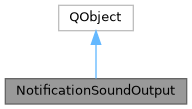
This QObject-derived helper owns a QAudioSink and an in-memory buffer to play short notification audio clips with optional attenuation and a configurable buffer size in milliseconds.
◆ NotificationSoundOutput()
| NotificationSoundOutput::NotificationSoundOutput |
( |
QObject * | parent = nullptr | ) |
|
|
explicit |
◆ error
| void NotificationSoundOutput::error |
( |
QString | message | ) |
|
|
signal |
Emitted when an error occurs during setup or playback.
- Parameters
-
| message | Error description suitable for logging or display. |
◆ play()
| void NotificationSoundOutput::play |
( |
QByteArray const & | data, |
|
|
QAudioFormat const & | format ) |
Play the provided audio data using the given format.
Plays audio from the provided data and format.
- Parameters
-
| data | Raw audio bytes to play. |
| format | Audio format describing the samples in data. |
The method will open an internal QBuffer and QAudioSink as needed and start playback. If another sound is currently playing it will be stopped and the new data will be played instead.
- Parameters
-
| data | The raw PCM audio data. |
| format | The QAudioFormat describing the data. |
Any currently playing notification is stopped and replaced.
◆ setAttenuation()
| void NotificationSoundOutput::setAttenuation |
( |
qreal | a | ) |
|
Set attenuation factor applied to played audio.
Sets the attenuation in dB.
- Parameters
-
| a | Attenuation multiplier (1.0 = no attenuation). |
| a | The attenuation value (0 = full volume). |
◆ setDevice()
| void NotificationSoundOutput::setDevice |
( |
QAudioDevice const & | device, |
|
|
unsigned | msBuffer ) |
Select the audio output device and set the internal buffer size.
Sets the audio device and buffer size.
- Parameters
-
| device | The chosen output device to use for playback. |
| msBuffer | Buffer size in milliseconds used for the QBuffer sink. |
The device is stored and used for subsequent calls to play(). The msBuffer controls the internal buffering size to trade off latency versus smoothness for short notification sounds.
- Parameters
-
| device | The QAudioDevice to use. |
| msBuffer | The buffer size in milliseconds. |
◆ status
| void NotificationSoundOutput::status |
( |
QString | message | ) |
|
|
signal |
Emitted to provide informational status messages.
- Parameters
-
| message | Human-readable status text. |
◆ stop()
| void NotificationSoundOutput::stop |
( |
| ) |
|
Stop playback immediately and release the playback buffer.
Stops playback and releases all resources.
The documentation for this class was generated from the following files:



 1.16.1